mySugr - Diabetes Tracker Log
- 4.5
- Rating
- 5.00M
- Installs
- Free
- Price

 Analysis by App-foxy
If you are looking for a less intimidating way to keep track of diabetes day by day, mySugr - Diabetes Tracker Log is one of the more approachable options I have used. It is a medical app from mySugr GmbH that brings blood glucose entries, notes, and device syncing into one place, with the aim of making routine logging feel more manageable rather than like another chore. I would not treat it as a replacement for medical advice, but I can see why it has become a practical companion for people who want a clearer picture of their own habits.
The app is free to install and suitable for Everyone, although it also offers in-app purchases ranging from $2.99 to $39.99 per item. That combination matters: you can begin without paying, learn whether the basic workflow suits you, and decide later whether the extra tools are worthwhile. In my experience, the best reason to try it is not the promise of a perfect diabetes diary. It is the reduction of small bits of friction that often cause people to stop recording altogether.
What using mySugr feels like from the first day
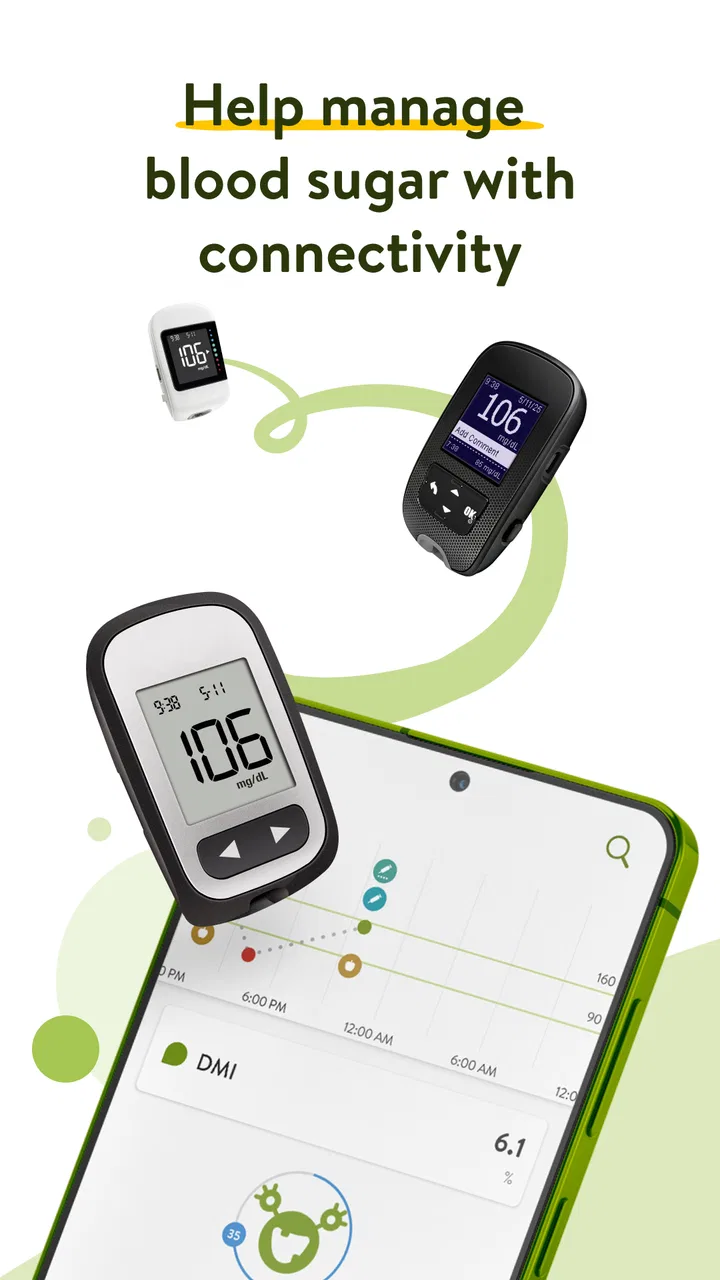
The first thing I noticed is that mySugr is built around regular entries rather than occasional reports. You open it when you check your glucose, add the relevant context, and gradually create a record that is easier to review than scattered notes in a phone app or on paper. The store summary focuses on syncing a blood glucose device and logging values automatically, but the practical benefit is broader: your readings can sit alongside the circumstances that help explain them.
You May Also Like

 AccuWeather: Weather Radar
AccuWeather Review: A Quick, Clear Forecast for Everyday Decisions
For everyday plans, the best forecast is the one you can understand quickly. AccuWeather makes rain timing, radar, and local conditions easy to act on, with a few trade-offs.

 Hill Climb Racing
Why Hill Climb Racing Still Turns Crashes Into One More Run
A tiny car, a bumpy hill and one more upgrade: Hill Climb Racing keeps resurfacing because its simple chaos makes every near-miss feel personal.

 AliExpress - Shopping App
AliExpress Makes Global Shopping Feel Personal, but Shoppers Bear the Risk
AliExpress turns a global marketplace into a pocket-sized discovery engine. Its reach is useful, its shopping loop compelling, and its trade-offs easy to miss.

 Lords Mobile: Kingdom Wars
Lords Mobile Is a Kingdom-Building Routine, Not a Quick Match
A case-by-case verdict on the building, battles, device demands, and social commitments that make Lords Mobile rewarding for some players and exhausting for others.

 PDF Scanner app - TapScanner
TapScanner Makes Paperwork Easier to Capture, Check, and Share
TapScanner makes scanning with a phone feel less like a rescue operation and more like a dependable step in getting work done. Its capture tools are useful, though not flawless.

 Block Blast!
Block Blast! Shows How Much a Puzzle Game Can Leave Out
A quiet grid game shows why puzzle players increasingly value instant clarity, repeatable skill and low-pressure play—and where the genre still needs to catch up.
More From Our News Desk
View All News


That context is important because a number on its own rarely tells the whole story. A reading after breakfast means something different from one after exercise, a stressful meeting, or a meal that was harder to estimate. A tracker becomes useful when it helps you notice those relationships. I found the app most valuable when I treated each entry as a small piece of a personal pattern, not as a grade I had to pass.
mySugr has been available since Dec 6, 2013, and its current version is 3.142.0. It has reached over 5 million installs, with a 4.5 average from around 131 thousand ratings and roughly 13 thousand written reviews. Those figures suggest a well-established app, but they should not be confused with a guarantee that it will fit every treatment plan. Diabetes management varies enormously, so the right question is whether its logging style matches the way you already measure, remember, and discuss your information.
The first meaningful success is not filling in every field. It is recording one genuine reading correctly and being able to find it again later. That modest goal makes the initial experience much less overwhelming, especially if you are new to tracking or returning after a long gap.
Getting started without turning setup into homework
After installing the app, I would recommend resisting the urge to configure everything immediately. Begin with the information you actually use during a normal day. If you have a compatible blood glucose device that can sync with the app, that may save time, but manual logging remains the more useful starting point for understanding the layout and checking that your entries make sense.
On an iPhone or iPad, the minimum operating-system requirement is iOS 11. That makes the app accessible on a wide range of devices, though your experience will still depend on the particular meter and phone combination you use. Device syncing is convenient when it works smoothly, but it is not something I would assume happens automatically with every glucose meter. Before building your entire routine around it, check whether your own device is supported and test the connection with a real reading.
My preferred setup method is simple. First, open the log and identify where a glucose value is entered. Next, look at the available places for meal, activity, medication, or personal notes, and choose only the details you can realistically maintain. A tracker that asks for more information than you can provide consistently becomes discouraging. You can always add richer context later when the basic habit feels natural.
There is also a useful distinction between recording and interpreting. The app can help you organize your information, but it does not turn a single entry into a diagnosis. I would use its history to prepare better questions for a clinician, not to change medication or make treatment decisions on my own. That boundary is especially important for someone who is newly diagnosed or whose readings are changing quickly.
The free starting point is another reason to keep setup modest. Since optional purchases are available, it is sensible to use the no-cost experience long enough to discover whether the core log fits your routine. I would not pay simply because a premium option exists. I would first identify a specific problem—such as wanting a particular analysis or a more advanced workflow—and then decide whether the purchase solves that problem often enough to justify it.
The first successful action: record a real reading
For a first test, I would choose a reading you are already planning to take rather than creating a pretend entry. Have the meter nearby, complete your usual check, and enter the value while the situation is still fresh. If syncing is available for your device, compare the imported value with what you expected to see. If you enter it manually, slow down long enough to verify the number before saving.
Then add one piece of context that you will remember later. It might be that the reading was before breakfast, after a walk, or taken during a busy afternoon. This is a better first exercise than trying to document every detail of your day. You are learning the path from measurement to useful record, which is the habit the app needs to support.
A realistic example would be a weekday morning. I check my glucose before eating, log the value, mark the meal context, and leave a brief note if the morning is unusual. Later, if I record another result after breakfast, I have two entries that describe more than two isolated numbers. Over several days, that kind of consistent context can make a conversation with a healthcare professional more concrete than saying, “My readings seem higher lately.”
One practical tip is to create a personal rule for when you will add notes. I would not try to write an essay after every check. Instead, I would note only something likely to explain a difference: a missed meal, unusual exercise, illness, travel, or a change in routine. This keeps the log useful without making diabetes management feel like full-time administration.
Another tip is to review the app at a calm time rather than only when you are worried about a reading. Looking back when you are not under pressure makes it easier to notice missing entries and recurring circumstances. It also reduces the temptation to judge yourself based on one result. The value is in the sequence and context, not in treating each number as a verdict.
Where beginners can become confused
The most common misunderstanding is expecting automatic syncing to solve every logging problem. Syncing can reduce typing, but it does not remove the need to check that the right device is connected, that the imported reading belongs to the correct moment, and that the surrounding context is still recorded. A meter can provide the number; it cannot know whether you had just exercised or skipped lunch.
Manual entries have their own weakness. They are flexible, but they create opportunities for typing mistakes or inconsistent notes. If you use both manual and synced readings, pay attention to duplicate-looking entries and keep your method consistent. When a record seems wrong, compare it with the original meter or your usual record before drawing conclusions from the graph or history.
It is also easy to overfill the log during the first enthusiastic week. I have found that this often backfires. If every entry requires a long list of details, a busy day can break the routine. Start with the minimum information that helps you and your clinician understand the reading. Add more only when it has a clear purpose.
New users may also wonder whether the app can tell them what to do when a value is outside their usual range. I would not use it that way. A tracker is strongest as a record and communication aid. If you are concerned about a reading, symptoms, or a pattern, use the medical guidance you have been given and contact an appropriate healthcare professional. The app should support that process, not replace it.
The friendly presentation may make the experience feel lighter, but diabetes itself is not a game. That tone can help people return to the log, yet some users may prefer a more clinical interface with fewer personality-driven touches. If you want a strictly minimalist record with no extra framing, a basic notes system or a dedicated meter companion may feel calmer. The trade-off is that those alternatives can require more effort to organize and review.
How it compares with paper, notes, and meter apps
Compared with a paper diary, mySugr is easier to search and less likely to become a stack of loose pages. A paper log can be wonderfully quick and works without a battery, but reviewing several weeks of handwritten entries is harder, especially when you want to connect values with meals or activity. The app is a better fit for someone who wants a running digital history and is comfortable keeping health information on a phone.
Compared with a generic notes app, it gives the log a diabetes-specific structure. A notes app may be more flexible, but that flexibility means you must invent your own format and maintain it. I would choose mySugr when I want a repeatable routine rather than a blank page. I would choose general notes when my tracking needs are unusual and I do not want to work within an app’s predefined flow.
Compared with the companion app supplied with a particular glucose meter, mySugr’s appeal is the broader logging experience and the possibility of bringing device data into a more complete diary. A manufacturer’s app may be the better choice if your priority is tightly focused hardware support or a workflow designed around one meter. The deciding factor is not which app looks better; it is whether the connection and daily entry process are dependable with your equipment.
For someone already using a continuous glucose monitor or another specialized diabetes platform, mySugr may be unnecessary if that existing system already provides the reports, sharing, and history they need. On the other hand, it can still appeal to a person who wants a simpler personal log alongside a more technical monitoring system. I would avoid duplicating every entry across multiple apps unless there is a clear reason, because duplicate work is one of the fastest ways to abandon tracking.
Small workflows that make the log more useful
One of the less obvious strengths of a diabetes log is its ability to preserve the “why” behind a reading. I would use short, repeatable labels or notes for events that matter to my own routine, rather than trying to describe everything. For example, noting a late meal or an unusually long walk can be more valuable than recording a vague comment such as “bad day.” Specific context is easier to recognize during a later review.
A second useful workflow is preparing before an appointment. Instead of opening the app for the first time in the waiting room, I would review the recent history beforehand and identify two or three patterns or questions. That turns the app from a storage drawer into a conversation tool. It also helps separate a genuine recurring issue from a single unusual result.
A third trade-off involves automatic imports. They can make regular logging easier, but convenience may reduce awareness of the surrounding circumstances. When the number arrives without effort, I would still take a moment to add the context that the device cannot know. Automation should remove repetitive typing, not remove reflection entirely.
People who share care responsibilities should also think about privacy and access in practical terms before making the app central to their routine. Keep your phone secured in the way you normally protect sensitive information, and decide which records you are comfortable discussing or showing during appointments. I would not assume that an app alone creates a complete care-sharing system; use the communication method recommended by your healthcare team.
Who will benefit, and who should look elsewhere?
I think mySugr is a strong match for adults and families who want a friendlier alternative to a paper diary, especially when the main challenge is remembering and organizing routine entries. It is also useful for people who want to bring readings and everyday context together before a clinical discussion. The free entry point makes experimentation easy, and the Everyone age rating means the presentation is broadly accessible, though a child’s diabetes management should still be supervised by a responsible adult and healthcare team.
I would be more cautious recommending it to someone who needs a highly specialized clinical system, advanced data exchange, or guaranteed compatibility with a particular device. In those cases, the meter manufacturer’s software or a platform chosen by the care team may be a better primary tool. I would also skip it if I know I will not carry my phone, take manual notes, or maintain any digital routine. The most sophisticated log is useless when it is abandoned.
People who dislike reminders, playful language, or optional paid features may prefer a simpler tracker. Likewise, if your diabetes care already revolves around a different app that automatically collects everything you need, adding another log could create confusion rather than clarity. MySugr works best when it simplifies one real problem, not when it becomes one more place to copy information.
My final take for a first-time user
I would recommend starting with one device, one real reading, and one useful note. Do not try to build a perfect history on the first day. Give yourself several ordinary days to see whether the app makes recording easier, whether syncing behaves reliably with your meter, and whether the resulting history helps you understand your routine.
My overall impression is that mySugr succeeds by making the repetitive part of diabetes tracking feel more approachable. Its strongest use is as a consistent personal record that can support better conversations and more informed self-awareness. Its limitations are equally practical: device compatibility matters, manual context still takes effort, and no digital log can interpret treatment decisions safely on your behalf.
As an app in the medical category, it deserves to be used thoughtfully rather than casually. The developer is mySugr GmbH, and the long-running product has earned a substantial user base, but your own experience should be the deciding factor. Try the free core workflow, record a genuine reading, and judge it by one simple question: does it help you keep a clearer, more honest record with less daily friction?
For me, that is the reason to keep it installed. It is most valuable when it turns one small, repeatable action into a history you can actually use. If that sounds like the gap in your current routine, mySugr is worth trying. If you need specialized monitoring, strict clinical integration, or a completely bare-bones diary, another tool may serve you better.
FAQs for mySugr - Diabetes Tracker Log
01What features does mySugr offer for diabetes management?
mySugr provides a comprehensive suite of tools for diabetes management, including blood sugar tracking, carb counting, and insulin dosage logging. It offers personalized insights and reports, which can be shared with healthcare providers. The app also integrates with various devices, ensuring a seamless data sync experience for users.
02Is mySugr suitable for both Type 1 and Type 2 diabetes?
Yes, mySugr is designed to support both Type 1 and Type 2 diabetes management. It offers customizable features that cater to the specific needs of each user, such as insulin tracking for Type 1 and lifestyle management tools for Type 2. This versatility makes it a valuable tool for a wide range of users.
03Does mySugr require any additional devices or hardware to function?
While mySugr can be used independently, it is compatible with various blood glucose meters and insulin pumps for enhanced functionality. This integration allows for automatic data entry and more accurate tracking. However, the app itself is fully functional on a smartphone without additional hardware.
04How secure is mySugr in protecting my personal health data?
mySugr prioritizes user privacy and security, employing encryption and other security measures to protect personal health data. The app complies with GDPR and other relevant regulations, ensuring that user information is handled with the utmost care and confidentiality.
05Is there a cost associated with using mySugr, and what are the premium features?
mySugr offers a free version with essential features for diabetes management. However, a Pro version is available through a subscription, providing advanced features such as PDF reports, smart search, and more detailed insights. Users can choose the plan that best suits their needs.
Pros
- User-friendly interface and design.
- Comprehensive glucose tracking features.
- Integrated insulin dose calculator.
- Personalized logging reminders.
- Syncs seamlessly with health devices.
Cons
- Limited features in free version.
- Occasional sync issues with devices.
- No offline data access option.
- Ads can be intrusive at times.
- Some data entry feels repetitive.

mySugr - Diabetes Tracker Log
Gallery